The platform
Discharge forecasts and drafted rehab referrals, built into the worklist
Aurifex pairs a discharge-prediction model with language models that read the chart. It shows each patient's expected discharge date and likely next place of care, flags possible inpatient rehab candidates and drafts the referral.
How it works
From admission to discharge
Aurifex produces a first estimate when a patient is admitted and updates it as notes arrive; date accuracy is measured from day 2. By the time the case manager opens the worklist, the date, any flag and any draft are waiting for review.
Admit
An admission arrives from Epic through the ADT feed.
Predict
The model sets an expected discharge date and likely next place of care.
Flag
Aurifex reviews the notes and flags possible inpatient rehab (IRF) candidates.
Draft
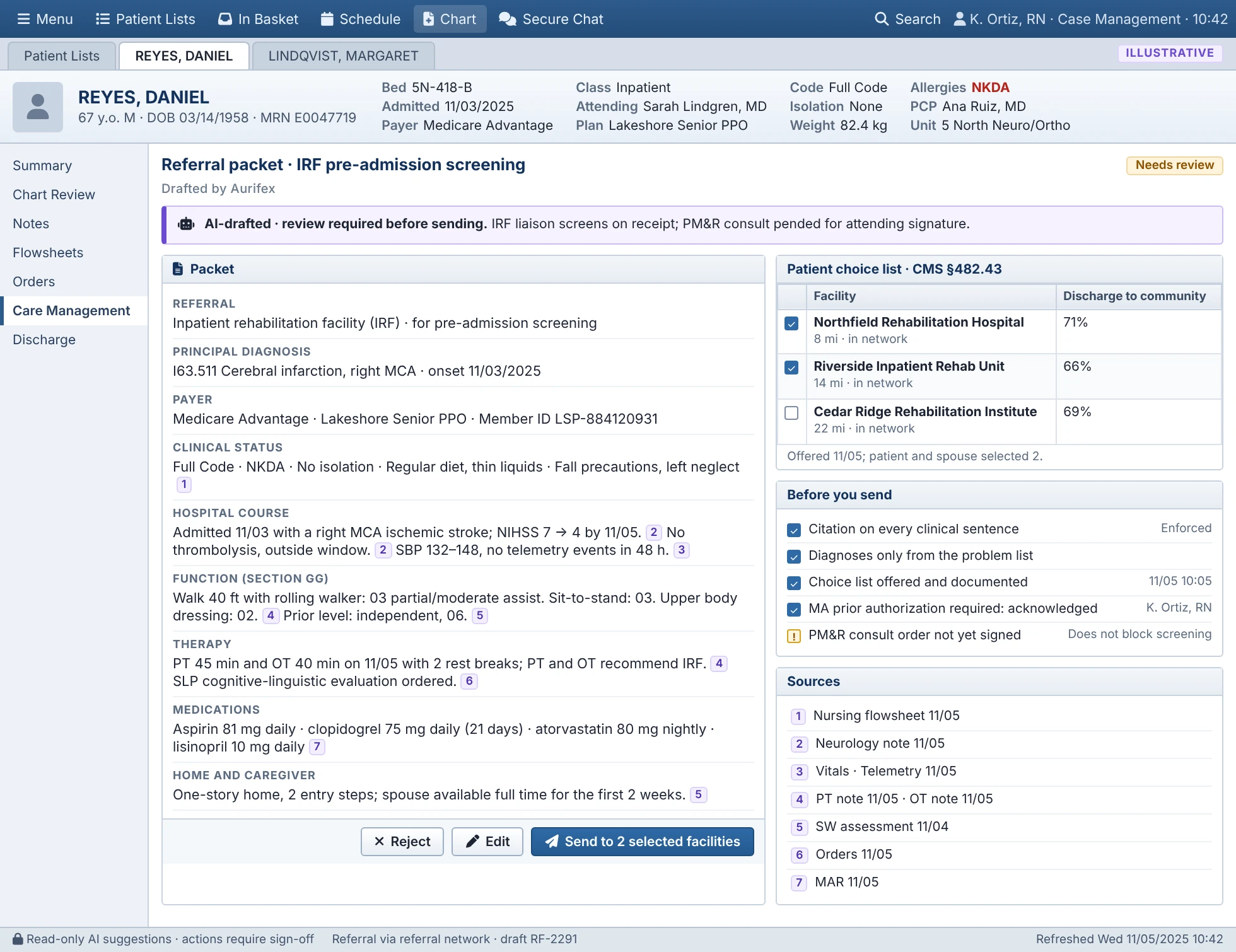
The referral packet and PM&R consult are drafted, every statement cited.
Approve
A case manager or physician edits, approves or rejects.
Plan
The team uses the forecast in discharge planning.
- Epic to Aurifex Admission and chart data HL7 v2 ADT events and FHIR R4 reads, including notes Read-only
- Inside Aurifex Predict, flag and draft Discharge model and language model, with a source for every statement Nothing sent to Epic yet
- Aurifex to Epic Worklist columns Model date, disposition and Possible IRF flag, labeled as suggestions Display only
- Your team Review and approve The case manager or physician checks the sources, edits, approves or rejects A person decides
- Aurifex to Epic or facility Order, packet or note Pended order signed by the physician, packet sent through your referral platform Write-back after approval
What's in it
Four parts, one source of data
Case managers, physicians, unit leaders and executives each use a different view. The same dates, flags and barriers feed every one.
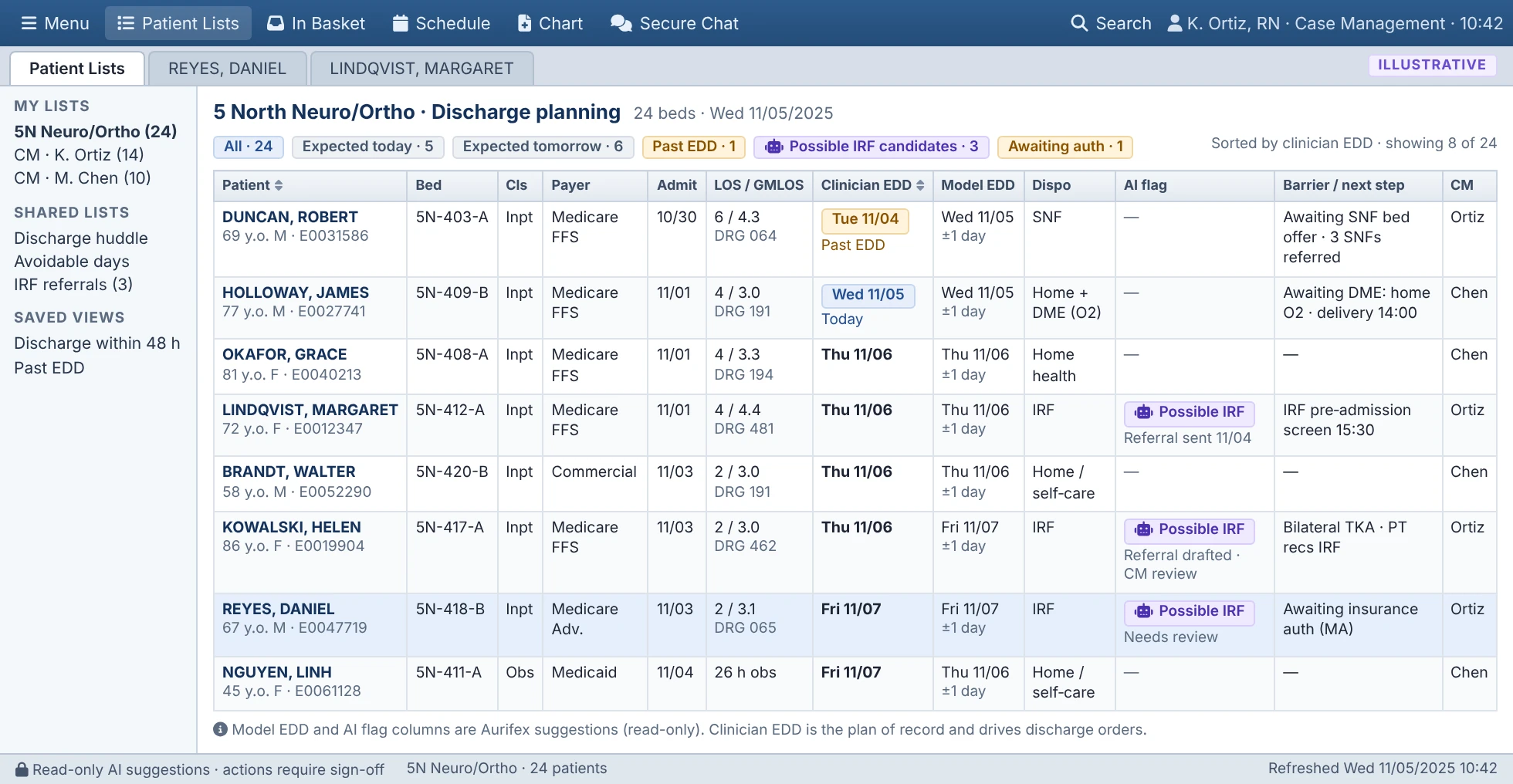 Module 1
Discharge date prediction
Expected discharge date and next place of care.
Discharge date prediction
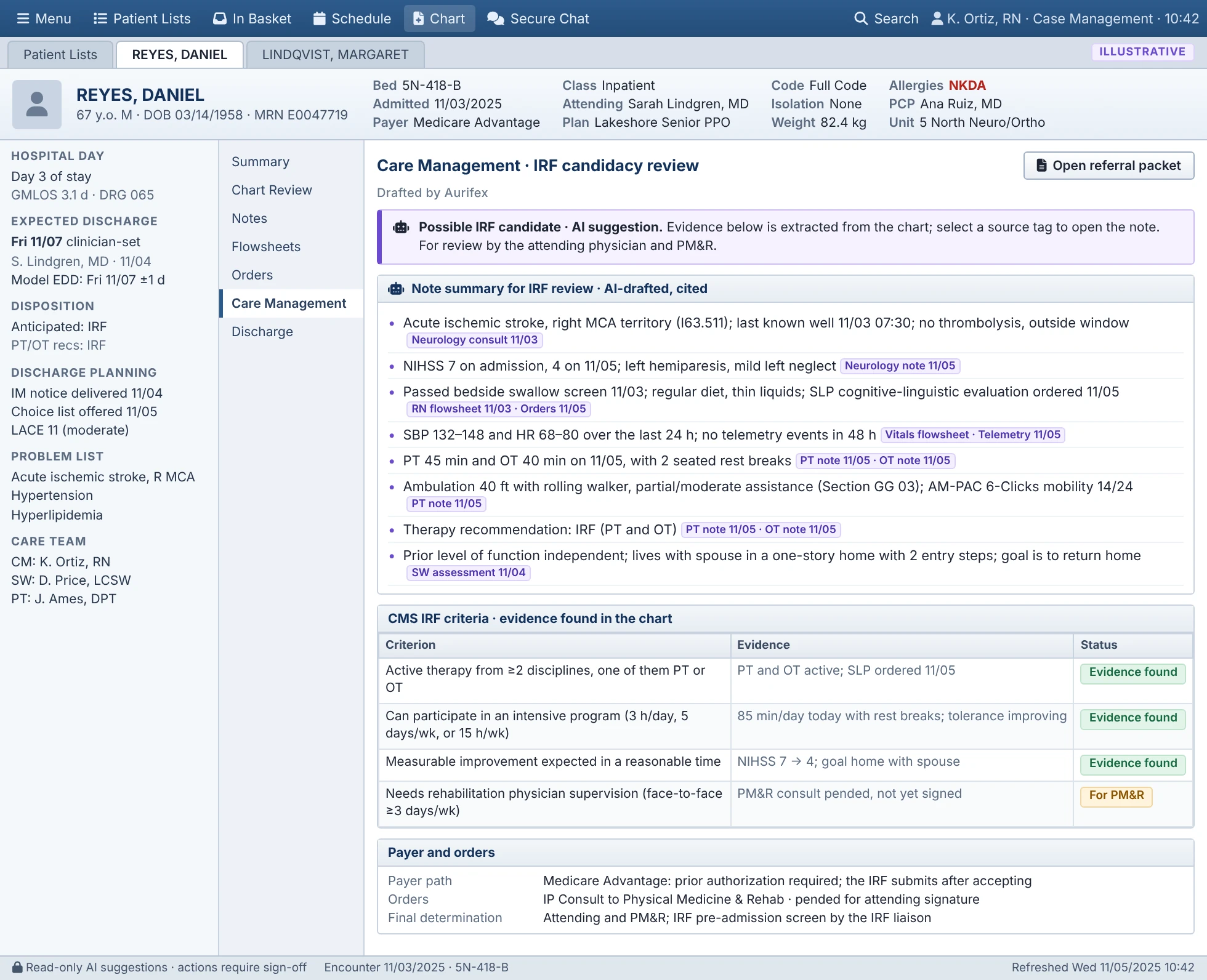 Module 2
Inpatient rehab referrals
Rehab-candidate flags and drafted referral packets.
Inpatient rehab referrals
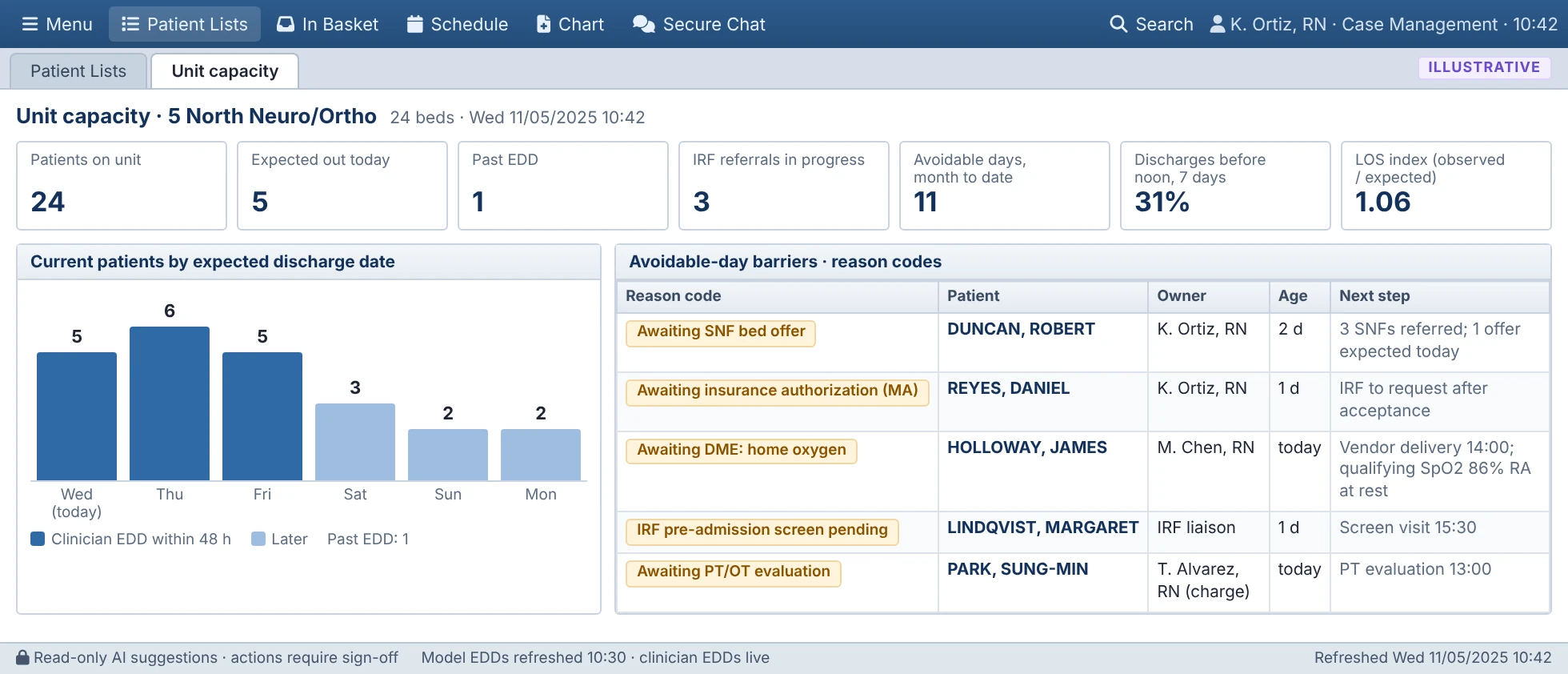 Module 3
Unit capacity and barriers
Expected discharges and barriers by unit.
Unit capacity and barriers
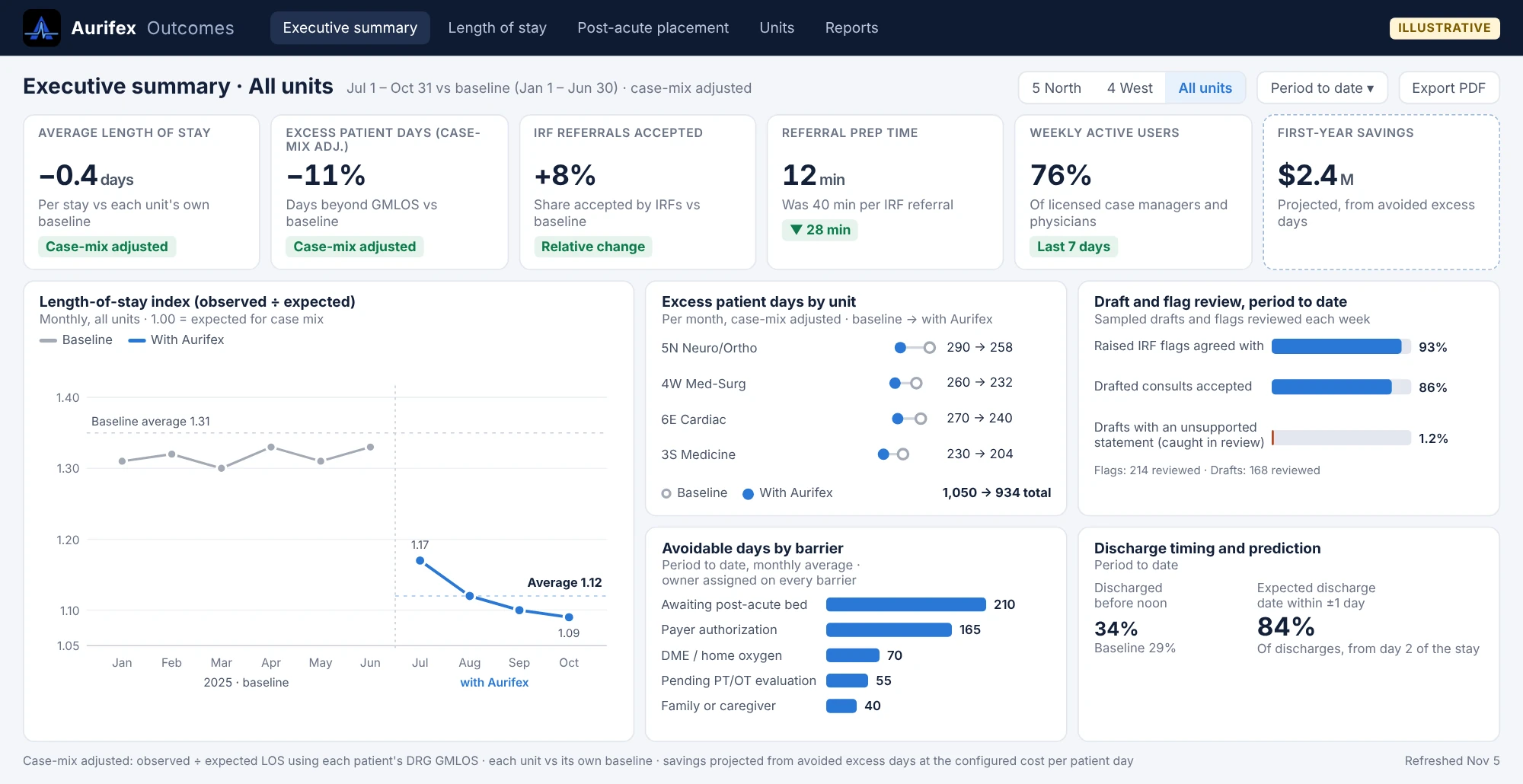 Module 4
Outcomes dashboard
Case-mix-adjusted results by unit.
Outcomes dashboard
 Integration
How it fits in Epic
Where Aurifex appears and what it reads.
How it fits in Epic
 Product tour
Click through all six screens
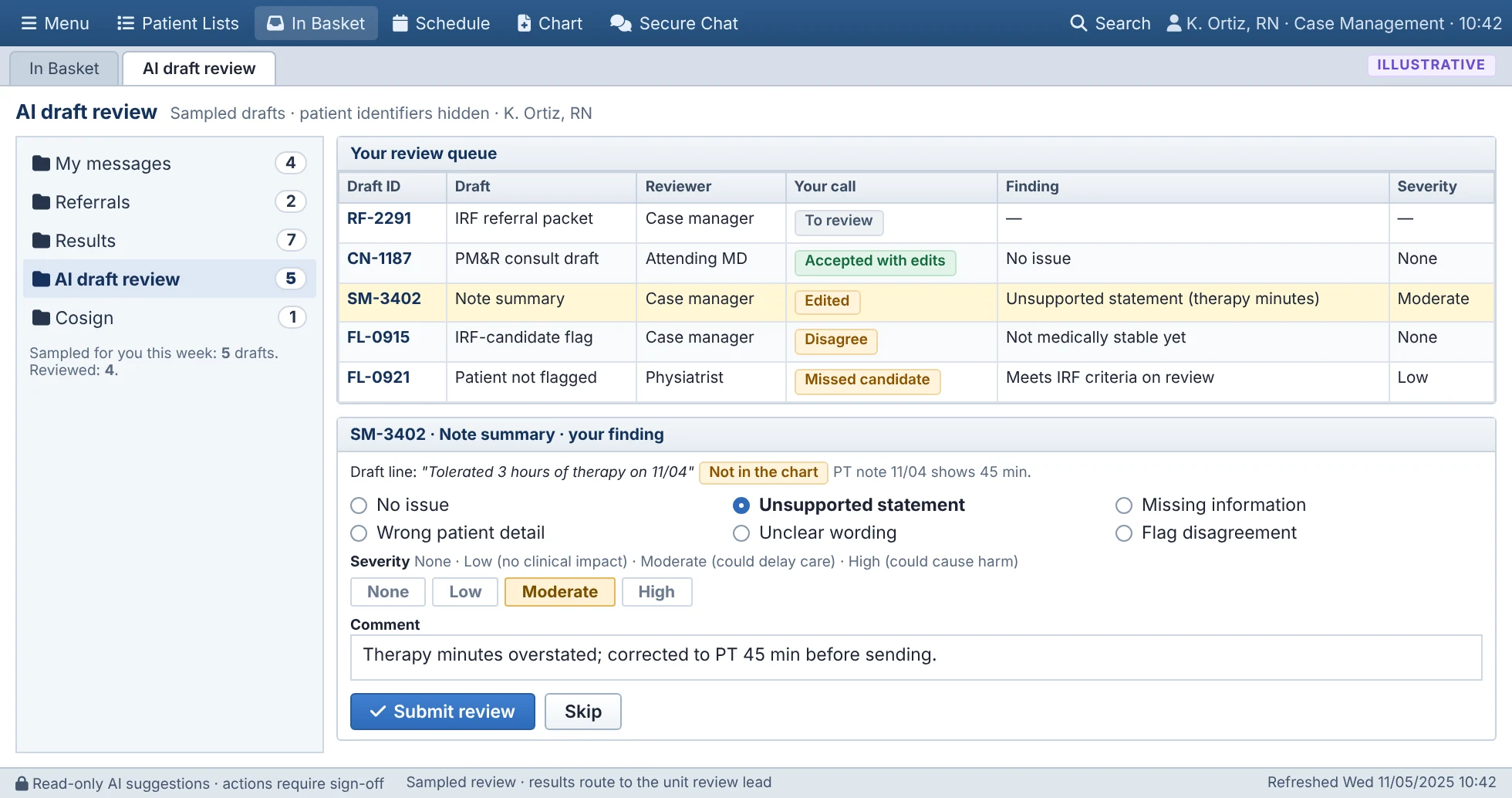
The worklist, the candidacy review, the referral packet, the unit view, the clinician review queue and the dashboard.
Start the tour
Design rules
The rules every part follows
People decide
The AI predicts, flags, summarizes and drafts. A case manager or physician approves anything that leaves the hospital or reaches the chart.
Sources on every statement
Each statement in a summary or draft links to the note, flowsheet or order it came from. Clinician review checks how often an unsupported one still gets through.
Inside the workflow
Dates and flags appear in the case-management worklist your team already uses. There's no new app for day-to-day work.
Measured against your baseline
Results are compared with your own units' baseline and adjusted for case mix. Savings stay labeled as projected.

See Aurifex on your own discharge workflow
We'll walk through your worklist, a drafted referral and how a pilot would be measured on your units.